
Are you tired of playing phone tag just to book appointments? It feels like a constant battle trying to keep schedules straight, right? Well, there's a simpler way to handle all that. A self-booked appointments system can really change things for your business, making it easier for clients to get on your calendar and freeing you up to focus on what you do best. Let's look at how this kind of system can make your work life a lot smoother.
Key Takeaways
- Clients can book appointments anytime, day or night, without needing to call you.
- Automated reminders help reduce missed appointments and no-shows.
- A central system keeps all your scheduling in one place, cutting down on errors.
- You can make your booking page look like your brand, building trust with customers.
- Features like card storage and waitlists help protect your schedule and income.
Embrace the Convenience of Self-Booked Appointments

Let's be honest, the old way of booking appointments – endless phone calls, playing phone tag, and scribbled notes – just doesn't cut it anymore. In today's world, people expect things to be easy and available whenever they need them. That's where self-booked appointments really shine.
Empower Clients with 24/7 Booking Access
Think about it: your clients are busy. They might realize they need to book a service late at night after the kids are in bed, or during their lunch break. With a self-booking system, they can pick their perfect time slot whenever it works for them, day or night. No more waiting for business hours or hoping someone answers the phone. This kind of flexibility is a huge plus for customer satisfaction. It's all about making it simple for them to get on your schedule, anytime they want.
Reduce Administrative Burden and Phone Call Volume
How much time does your team spend on the phone just trying to book appointments? It's a lot, right? When you switch to a system where clients book themselves, you cut down on those calls dramatically. This frees up your staff to focus on more important tasks, like serving your current clients or growing the business. It’s a win-win: less hassle for your team and a smoother process overall.
Enhance Customer Experience with Seamless Scheduling
Nobody likes a complicated booking process. A well-designed self-booking system makes it easy for clients to see your availability and choose a time that fits their life. This smooth experience builds trust and makes them more likely to book with you again. It's about removing friction and making the entire interaction pleasant from start to finish.
Here’s a quick look at how it helps:
- Client Convenience: Available 24/7, fitting into their schedule.
- Staff Efficiency: Less time spent on phone calls and manual entry.
- Reduced Errors: Automated systems minimize mistakes.
- Improved Satisfaction: A simple, quick booking process makes clients happy.
Offering a self-booking option isn't just a nice-to-have anymore; it's becoming a standard expectation for businesses that want to stay competitive and keep their customers happy. It simplifies things for everyone involved.
Streamline Operations with a Self-Booked Appointments System
Trying to keep track of appointments can feel like juggling too many balls at once. Phone calls, emails, sticky notes – it’s easy for things to get mixed up. A self-booked appointments system brings all of that chaos under one roof, making your day-to-day operations run a lot smoother. It’s about taking the manual work out of scheduling so you can focus on your actual business.
Centralize Scheduling Tasks into One Intuitive Platform
Instead of having appointments scattered across different notebooks, spreadsheets, or even just your memory, a good system puts everything in one place. This means your staff can see who’s booked, when, and for what service, all without having to ask around or check multiple places. It’s like having a digital command center for your entire schedule. This centralization helps avoid double-bookings and makes it easier to manage your resources, like rooms or equipment. You can even track which staff members are available for specific services, making client assignments a breeze.
Minimize Errors and Confusion in Appointment Bookings
When people book appointments themselves online, the system automatically records the details. This cuts down on mistakes that can happen when taking bookings over the phone or via email. No more misheard dates, times, or service requests. The system uses the information clients enter directly, reducing the chance of misinterpretation. This clarity means fewer follow-up calls to confirm details and a more professional experience for your clients. It’s a simple way to make sure everyone is on the same page from the moment they book.
Automate Repetitive Tasks with Booking Rules and Notifications
Think about all the little things you do repeatedly for each appointment – sending confirmations, reminding clients, checking availability. A self-booking system can handle a lot of this automatically. You can set up rules, like requiring a minimum notice period for bookings or setting maximum appointment lengths. Plus, automated notifications keep clients informed every step of the way. This frees up your team to handle more important tasks and reduces the chance of human error in communication. For example, you can set up automatic reminders that go out a day or two before an appointment, which can really help reduce no-shows. You can even integrate this with services like Uber Health for specific needs managing transportation bookings.
Here’s a quick look at how automation helps:
- Confirmation Emails: Sent instantly when a client books.
- Reminder Messages: Scheduled for a set time before the appointment.
- Rescheduling Links: Included in notifications for easy client adjustments.
- Follow-up Surveys: Automatically sent after a service is completed.
Customize Your Client's Booking Journey
Your booking page is often the first real interaction a potential client has with your business online. Making it look good and work well is super important. It’s not just about having a place for people to book; it’s about making them feel confident and excited to book with you.
Build Trust and Credibility with a Branded Booking Page
Think of your booking page as a digital handshake. When it matches your business's colors, logo, and overall vibe, it shows you pay attention to detail. This consistency helps clients feel like they know you already, building trust right from the start. It makes your business look professional and reliable, which is a big deal when people are deciding where to spend their money and time.
Enhance User Experience for Increased Bookings
Nobody likes a complicated process. A booking page that’s easy to use, with clear steps and simple language, means fewer people will get confused or give up halfway through. When clients can find what they need and book an appointment without a hassle, they’re much more likely to complete the booking. This smooth experience can really make a difference in how many appointments you actually get.
Tailor Scheduling to Your Business Needs
Every business is different, and your booking system should be too. You can set specific rules for how appointments are booked. For example, you might want to require a certain amount of notice before a booking, or limit how far in advance people can schedule. You can also decide what information you need from clients before their appointment, like custom intake forms. This way, the system works for you, not the other way around.
Here are a few ways to tailor the booking process:
- Set specific booking windows: Decide when clients can book, like only during business hours or with a minimum notice period.
- Create custom forms: Ask for exactly the information you need, whether it's for a first-time client or a specific service.
- Define appointment durations: Ensure each service slot is the right length, preventing back-to-back bookings that are too tight.
- Add buffer times: Automatically include short breaks between appointments to give yourself a moment to reset.
Making your booking page and process reflect your brand and work smoothly for your clients is key. It’s about creating a positive first impression and removing any friction that might stop someone from booking. A well-designed system shows you care about their experience, which can lead to more appointments and happier customers who keep coming back. Focusing on how clients interact with your scheduling can really help grow your local business.
Maximize Efficiency with Automated Features
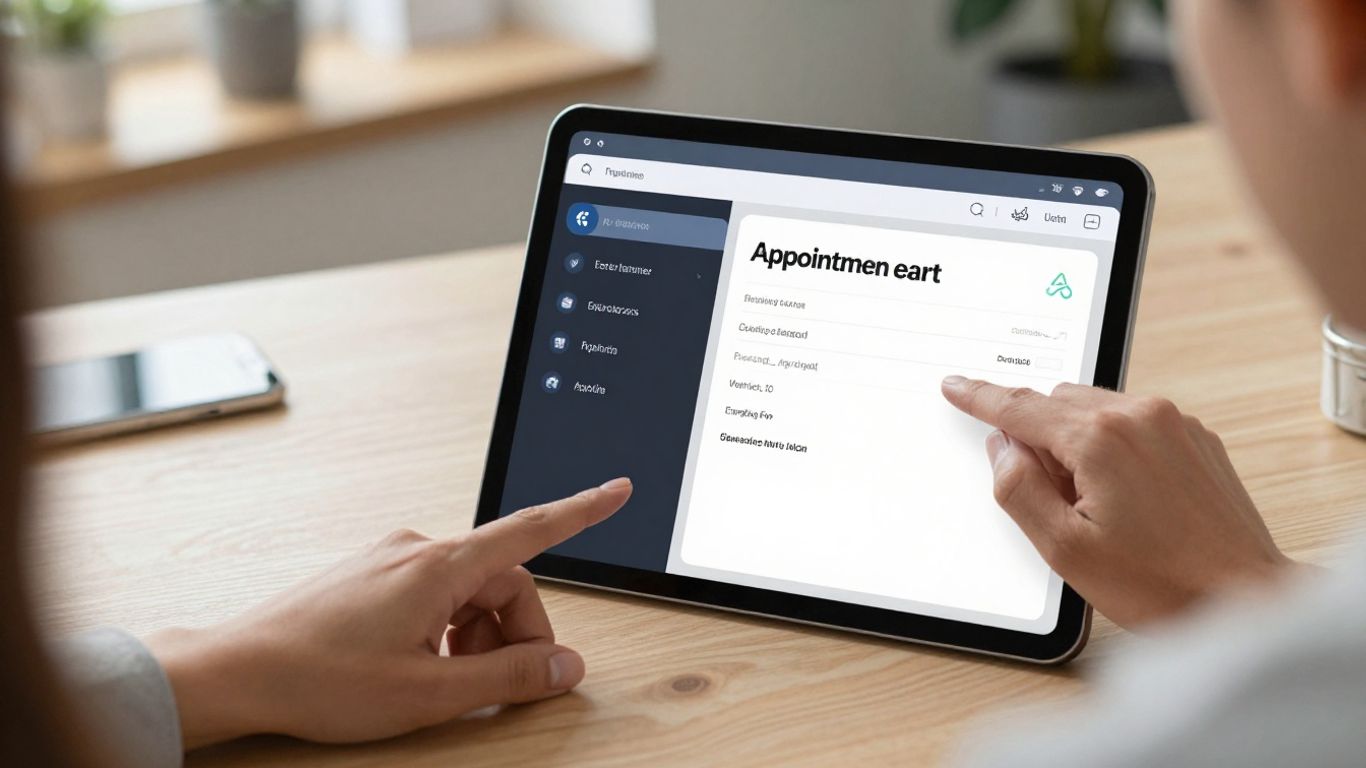
Let's be honest, nobody enjoys spending hours on the phone confirming appointments or chasing down clients for details. That's where automation comes in. It's not about replacing human interaction, but about freeing up your team to focus on what really matters – serving your clients. Think of it as giving your business a super-powered assistant that handles the repetitive stuff so you don't have to.
Improve Appointment Attendance with Automated Reminders
Missed appointments are a real drain on resources and revenue. Automated reminders are a game-changer here. They gently nudge your clients, ensuring they remember their scheduled time. This isn't just about reducing no-shows; it's about showing your clients you value their time and are prepared for their visit. You can set these up to go out via email or text, a few days before and then again a few hours before the appointment. It's a simple step that makes a big difference in keeping your schedule full and running smoothly.
Sync with Calendar Apps for Real-Time Availability
Imagine this: you book an appointment, and it instantly appears on your Google Calendar, Outlook, or Apple Calendar. That's the magic of syncing. When your self-booking system talks to your personal and team calendars, it means your availability is always up-to-date. No more double bookings or awkward calls to reschedule because someone forgot they already had something planned. This real-time connection is key for accurate scheduling and makes managing your day so much easier. It helps keep everyone on the same page, whether they're in the office or on the go.
Leverage AI for Automated Client Communications
Beyond just reminders, think about how AI can handle other client communications. This could include sending welcome messages after a booking, providing pre-appointment instructions, or even answering frequently asked questions. It's about creating a consistent and informative experience for your clients without you having to manually type out every message. This kind of automated communication builds trust and makes your business look incredibly organized and professional. It's a smart way to manage client expectations and keep them informed throughout their journey with you. You can even set up automated follow-ups after their appointment to gather feedback, which is super helpful for improving your services.
Protect Your Schedule and Revenue
It's easy to get caught up in the excitement of filling your calendar, but what happens when things go sideways? We're talking about those dreaded no-shows and last-minute cancellations that can really mess with your income. A good self-booking system isn't just about making it easy for clients to book; it's also about putting safeguards in place for you.
Implement No-Show Protection with Card Storage
This is a big one. When clients book online, you can set it up so they have to put a credit card on file. This isn't about being difficult; it's about respecting your time and the resources you've set aside for them. Most clients understand that this is a standard practice to prevent no-shows. If someone doesn't show up or cancels too late, you can charge a fee, which helps cover your lost earnings. It's a simple way to add a layer of security to your bookings.
Utilize Waitlists to Fill Cancellation Openings
Cancellations happen, and sometimes they pop up unexpectedly. Instead of just letting that time slot go to waste, a waitlist feature can be a lifesaver. When a client cancels, the system can automatically notify the next person on the waitlist who is looking for an appointment. This keeps your schedule full and gives clients who might have missed out on the initial booking a chance to get in. It's a smart way to turn potential lost revenue into booked appointments.
Offer Flexible Payment Options for Bookings
Making it easy for clients to pay is part of protecting your revenue. Your system can allow for different payment methods. You might want clients to pay in full when they book, or perhaps offer a deposit option. Some systems even let you store card details securely for future payments or to cover cancellation fees. Offering options like paying with Afterpay can also make it easier for clients to commit to services, knowing they can spread the cost.
Integrate Your Self-Booked Appointments System
Seamlessly Embed Booking on Your Website
Making your booking page easy to find is key. You can share a direct link to your booking page, which is simple enough. But for a smoother client experience, embedding the booking system right onto your own website is the way to go. Most systems offer easy ways to do this, often with just a bit of code. This means clients can book appointments without ever leaving your site, keeping them engaged and reducing the chance they'll get distracted elsewhere. Think of it as putting your appointment book right on your digital storefront.
Connect with Essential Business Tools
Your booking system shouldn't operate in a silo. It needs to talk to the other tools you use every day. Connecting your booking system to your calendar, like Google Calendar or Outlook, is a big one. This stops double bookings and makes sure your availability is always current across all your devices. Beyond calendars, think about connecting to your customer relationship management (CRM) software, email marketing tools, or even accounting software. This kind of integration automates data transfer, saving you time and reducing manual entry errors. For example, when a new client books, their details can automatically go into your CRM, and a welcome email can be sent.
Manage Multiple Locations and Staff Schedules
If your business has more than one spot or a team of people, managing schedules gets complicated fast. A good self-booking system can handle this. You can set up different locations and assign staff members to each. Clients can then choose not only the service they want but also which location and even which staff member they prefer. The system keeps track of everyone's availability, so clients only see open slots. This keeps things organized and prevents confusion, especially if you have staff who work across different locations or have varied schedules.
Make it super easy for customers to book appointments with you online! Our system lets people pick a time that works for them, right from your website. Stop missing out on business and start filling your schedule. Visit our website today to see how simple it can be!
Wrap Up: Take Back Your Time
So, there you have it. Implementing a system where clients can book their own appointments isn't just a nice-to-have anymore; it's pretty much a must-have for businesses that want to keep things running smoothly. It cuts down on all that back-and-forth phone tag, stops you from accidentally booking two people at once, and honestly, just makes life easier for everyone involved. Think of all the time you'll get back – time you can actually spend on growing your business or, you know, taking a breather. It’s a simple change that makes a big difference.
Frequently Asked Questions
What exactly is a self-booked appointment system?
Think of it like an online booking buddy for your business! It's a system that lets your customers pick and book appointments themselves, right from your website or a special link, without you having to answer the phone every time. It makes things super easy for them and saves you a ton of time.
How does this system help my business save time?
It's a huge time-saver! Instead of you or your staff spending ages on the phone or replying to emails to schedule appointments, the system does it all automatically. This frees you up to focus on your actual work and serving your clients better.
Can I make my booking page look like my business's website?
Absolutely! You can usually add your business's logo, colors, and style to the booking page. This makes it look professional and trustworthy, so customers feel more confident booking with you.
What happens if a client forgets their appointment?
No worries! Most systems can automatically send reminders to your clients through text or email. This helps them remember their appointment and cuts down on people not showing up.
Can I connect this system to my existing calendar?
Yes, you can! It's super handy because it syncs with your regular calendar, like Google Calendar or Outlook. This way, you always see your appointments in one place and avoid booking the same time slot twice.
How does this system help prevent 'no-shows'?
Some systems let you securely keep a client's card on file. This can be used to charge a small fee if they don't show up for their appointment, which helps protect your business's time and money.